Microsoft officially retired Project Online on 30 September 2026. From this date, users will have no access to their data and projects. For many organizations working with Project Online, this means an urgent decision: where to move next?
The good news: whether you still need the full power of Project Desktop, want to modernize your Project, Portfolio and Resource Management (PPRM) environment with the Microsoft Power Platform, or prefer a hybrid solution – there are three clear options we can recommend.
Project Online Retirement: How to Migrate Now
Microsoft retired Project Online on 30 September 2026. If your organization still relies on Project Online schedules, timesheets or portfolio reports, a Project Online migration is no longer a future plan – it is urgent work.
Cyber Communications NA helps PMOs and IT teams move off Project Online quickly and safely. We assess what you have, recover and map your project data, and move you to the platform that fits how you work – Project Server Subscription Edition, Microsoft Planner with TPG ProjectPowerPack, or a hybrid of both.
Our Project Online migration service includes:
- Assessment – inventory of projects, custom fields, workflows, reports and integrations
- Data recovery and export – schedules, resources, timesheets and project sites
- Platform recommendation – Project Server SE, Planner on the Power Platform, or hybrid
- Migration and validation – data moved, checked and reconciled against the source
- Reporting rebuild – Power BI dashboards to replace Project Online reports
- Training and support – for project managers, team members and PMO staff
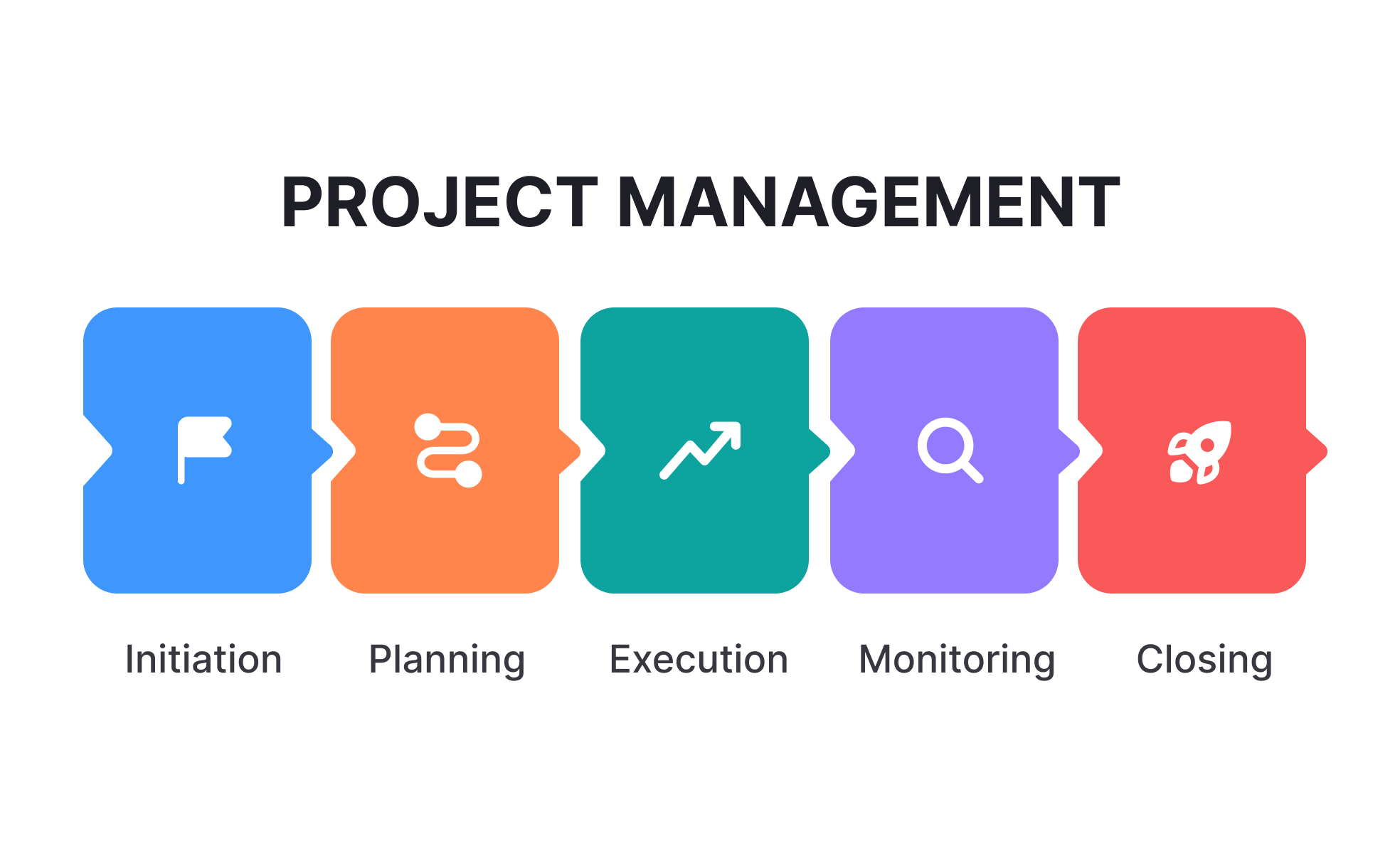
A Project Management System is a tool that helps teams plan, execute, and track projects from start to finish. It enables collaboration, task assignment, scheduling, and resource management, ensuring projects are completed efficiently and on time. It provides real-time visibility into project progress. Use Microsoft Planner or Project to streamline your project process.
Microsoft Planner
Microsoft Planner brings together the simplicity of To Do, collaboration of Planner, power of Microsoft Project, and intelligence of Microsoft Copilot into a single, simple solution that spans from individual task management to enterprise and professional project management.
Unlock the full potential of Microsoft Power Platform to transform your business. Streamline workflows, automate tasks, and gain real-time insights with Power Automate, Power Apps, and Power BI. Schedule a demo today to experience the impact firsthand.
QuickStart for ProjectPowerPack is a turnkey solution for implementing an advanced and powerful tool for project management based on the Microsoft Power Platform. In just a few weeks, you will have be able to get started with your own cloud-based tool environment for multi-project, portfolio and resource management – at a reasonable price.
Thanks to the packaged approach to tool implementation – on a fixed budget – you will be up and running after a short time with this proven, centralized and easy-to-use planning, information and communication platform for your project environment.
Microsoft Planner Implementation Options
As an authorized distributor of TPG Products we proudly offer the TPG ProjectPowerPack QuickStart solution to enhance and unlock the power of Microsoft Planner.
TPG’s next-generation project management software delivers integrated project and portfolio management (PPM) – within your Microsoft 365 environment.
Project Management Features
Scheduling
Having a clear overview of the tasks and progress helps you meet
the project deadlines and manage your projects well.
Time and task management
Everyone uses a shared, centralized approach to timesheets
and scheduling.
Resource management
Optimize your project team’s workload and prevent overuse /
underuse of resources before it occurs.
Problem and
risk management
Keep track of problems and risks so that you can minimize
or prevent them.
Cost management
Monitor how costs are evolving and ensure that your projects stay
within budget.
Idea management
Gather and document project ideas centrally, then analyze them
and decide how to implement them.
Dashboards and reports
Make quick and well-informed decisions based on up-to-date and
meaningful data. Detailed dashboards showing KPIs related to portfolios, individual projects, and resource usage ensure that you have a
good overview at all times. The drill-down feature gives you greater
detail for each report. This lets you proactively manage your projects.
Collaboration
The ability of team members to work together easily is a key
prerequisite for effective, successful projects.
MS Teams integration
Create a team at the push of a button and use all functions
available in the popular Microsoft Teams environment.
Project Online Alternatives: Your 3 Migration Options
Why Did Microsoft Retire Project Online?
Microsoft retired Project Online because the service is based on an older, SharePoint-based architecture. The company wants to consolidate its project and task management solutions on a unified, modern platform centered on the new Planner, based on Power Platform/Dataverse, Copilot/Project Manager Agent, and Microsoft Teams integration. The old foundation limits new features as well as current and planned AI scenarios.
Attention: Project Online reached end of life on 30 September 2026. If your projects and data have not been exported yet, contact us right away so we can help you assess what can still be recovered.
Microsoft recommends working with experienced partners who already provide mature solutions based on the Power Platform for migrating data from Project Online. TPG ProjectPowerPack is one of them. As a TPG Partner we can offer:
Option 1: Migrate Project Online to Project Server Subscription Edition
If you still require the full capabilities of your Microsoft Project Desktop client for schedule, cost and resource management, migrating to Project Server SE (Subscription Edition) is the logical choice.
Project Server SE can be operated on-premises, in co-location, or in Azure VMs. This way, your teams retain familiar functionality while moving to a long-term supported platform.
In addition, the TPG PSLink middleware, in combination with the Project Desktop client, enables integration with your enterprise systems, opening up new possibilities for data automation.
Option 2: Migrate Project Online to Planner and the Power Platform
For many organizations, the Project Online end of life is an opportunity to modernize. TPG ProjectPowerPack is based on the Microsoft Power Platform. This PPRM product is fully integrated into Microsoft Teams and Microsoft 365.
With TPG ProjectPowerPack you get:
– Advanced scheduling and resource management with TPG Scheduler and Resource Planner Integrated timesheets
– A flexible architecture with Power Apps, Power BI and Teams
– Enterprise integration (SAP, Primavera P6, Oracle, Azure DevOps, Jira and more) via TPG PSLink Scalable governance and reporting for PMOs, departments and portfolios
– AI-enabled assistance with Copilot and automation
TPG ProjectPowerPack combines the modern user experience of Microsoft tools with enterprise PPRM capabilities. It can therefore be seen as the natural successor to Project Online – a future-proof solution.
Option 3: Hybrid Migration – Project Server SE plus Power Platform
Some organizations need the best of both worlds. For this, we suggest the hybrid scenario. Here, Project Server SE is used for scheduling, cost and resource management. In addition, TPG ProjectPowerPack provides functions such as risk management, issue tracking, timesheets and much more.
This secures continuity for experienced project managers while introducing a modern platform for wider user groups – with Teams, Power Apps and intuitive dashboards.
CYBERCOM QuickStart brings together generic project management processes and best practices from a range of different industries. As your business evolves, you can extend the platform with new functions and integrate it with other systems in your company.






Project Online Migration FAQ
When did Microsoft retire Project Online?
Microsoft retired Project Online on 30 September 2026. Organizations still using it need to move their projects, resources and reporting to a supported platform.
What is the best alternative to Project Online?
It depends on how you manage projects. Teams that rely on Project Desktop for detailed scheduling and cost control usually move to Project Server Subscription Edition. Organizations that want a modern, Teams-based experience usually move to Microsoft Planner extended with TPG ProjectPowerPack on the Power Platform. Many PMOs choose a hybrid of both.
Can I migrate Project Online to Microsoft Planner?
Yes. Microsoft Planner is Microsoft’s strategic successor for project and task management. For enterprise portfolio and resource management, we extend Planner with TPG ProjectPowerPack, which adds scheduling, resource planning, timesheets and PMO reporting.
How long does a Project Online migration take?
Most migrations take a few weeks, depending on the number of projects, custom fields, reports and integrations. Our QuickStart approach uses a fixed budget so you know the cost up front.
Do you help organizations outside Florida?
Yes. We are based in Lake Mary, Florida, and deliver Project Online migrations remotely for organizations across North America.
Contact us
Empowering businesses with tailored solutions. Optimize, customize, and grow with our expert services. Your success is our mission. Contact us today.